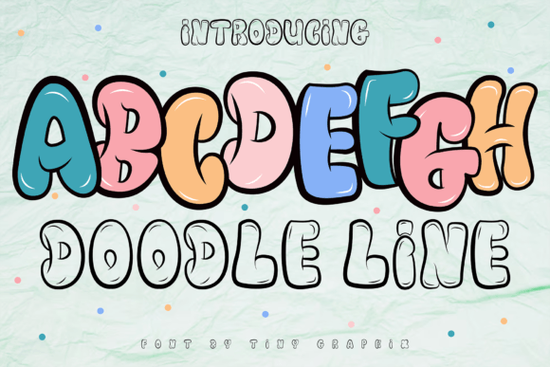
The Doodle Line Font is a graffiti display typeface that combines bold, hand-drawn doodle strokes with a genuine street art attitude. It’s not about polished perfection it’s about movement, texture, and a playful edge that catches the eye right away. Designers, crafters, and small business owners looking for a font that feels energetic and a little rebellious often land on this one for logos, game titles, and branding that refuses to blend in.
What makes the Doodle Line Font stand out from basic display typefaces?
Most display fonts either go clean and modern or full-on grunge. The Doodle Line Font sits in a sweet spot between the two. The letterforms are built from irregular, sketch-like lines that mimic the look of a felt-tip marker on paper. That gives each character a slight wobble and organic warmth you won’t find in a perfectly geometric sans serif.
When you type a word, the uneven strokes and little gaps inside the letters create a hand-crafted, almost animated feel. This makes the font incredibly useful for cartoons, YouTube thumbnails, and mobile game interfaces. It communicates “fun” without shouting, and it stays legible even at smaller banner sizes an important practical detail that some graffiti fonts miss.
How can you use a graffiti font in game branding without it looking messy?
Game titles and character names often appear over busy backgrounds, so clarity matters. With the Doodle Line Font, the trick is to keep the surrounding design simple. Use it as a short headline over a dark or solid-colored area, and pair it with a clean secondary typeface for body text. The contrast between the doodle letters and a plain sans serif (like a compact stacked style) makes the main message pop immediately.
For in-game menus or achievement badges, try using the font in all caps with extra letter spacing. The loose, sketchy strokes still feel cohesive, and the playful vibe fits anything from puzzle apps to action platformers. Many developers choose it specifically because it avoids that overused “techy” sci-fi look and feels more hand-drawn and approachable.
Which Creative Fabrica display fonts pair well with a doodle line style?
Pairing a graffiti font is about balancing personality and readability. If you need a softer, flowing contrast, the Rainbow Memories Font brings a charming, handwritten warmth that sits nicely next to the Doodle Line Font’s bolder edges. For projects with a rustic or country aesthetic, a rough farmhouse typeface adds a grounded, textured counterpoint.
When your design calls for a sporty, team-oriented feel, look at the Varsity Sport Army Font. Its solid block shapes and athletic energy work well as a secondary font for scores, stats, or call‑to‑action buttons while the doodle lettering handles the title. For a lighter, more whimsical touch, soft rainbow lettering can replace traditional serif accents in a child-friendly game or craft project.
If you’re designing packaging that needs a friendly, approachable voice, consider mixing in a bouncy brush script. The Happy Brush Font’s lively, imperfect curves pair beautifully with the doodle font’s sketched lines both feel human, not machine-made. Similarly, the Simple Stacked Font offers a neat, poster-ready structure that helps anchor a layout when the Doodle Line Font is the star.
Is the Doodle Line Font suitable for print-on-demand products?
Yes, and it performs better than many heavily distressed graffiti fonts on physical goods. Because the lines are bold but not overly grungy, the font prints cleanly on t‑shirts, mugs, and tote bags without losing its character. The doodle effect translates well across different materials cotton, ceramic, even glossy stickers because there’s enough weight in the strokes to hold up after heat pressing or screen printing.
If you sell birthday shirts, kids’ apparel, or custom tote designs, use phrases like “born to doodle” or “play all day” in the Doodle Line Font. It instantly adds a hand-illustrated vibe that buyers often associate with one-of-a-kind items. Just be careful with very thin lines at extremely small sizes around 12pt or below as the internal gaps may close up, especially on textured surfaces.
What file formats and licensing should I check before buying?
The Doodle Line Font usually comes in OTF or TTF formats, which work on both Windows and Mac. Before you purchase, verify that the license covers your intended use. Most Creative Fabrica listings include a standard commercial license, but if you plan to embed the font in a game or use it for large-scale merchandise, a full commercial or extended license may be necessary. Always peek at the license details to avoid surprises.
Designers who work across Canva, Photoshop, and Procreate will appreciate that the font installs like any other system font. For Procreate, just import the file into your iOS files and the app will pick it up. This flexibility means a single purchase can serve your crafting channel, Etsy shop, and freelance client work without format headaches.
How do you install and start using a doodle-style font quickly?
- Download the font file (usually a .zip with OTF/TTF files).
- Right‑click the file and choose Install on Windows, or double‑click then Install Font on a Mac.
- Open your design software Canva, Illustrator, Photoshop, or even Word and look for the font name in the list.
- Type your text, set the size, and adjust letter spacing to get the perfect doodle feel.
- To keep the hand-drawn look authentic, avoid overly tight tracking and never artificially slant the letters; the font’s natural tilt is part of its charm.
Quick checklist before using the Doodle Line Font in a client project
- Legibility check: Test the font at the actual size and background you’ll use, especially over photographs.
- Pairing plan: Choose a clean subtitle font like a sturdy varsity block or a simple sans to keep things readable.
- License: Confirm the Creative Fabrica license covers commercial items, POD sales, or game embedding.
- Color contrast: Doodle fonts shine when the lines contrast sharply with the background; avoid busy patterns behind the text.
- Spacing: Add a tiny bit of extra letter spacing if the internal gaps feel too tight on screen.
Start with a small test a social media banner or a phone wallpaper to see how the font behaves in your favorite tool. Once you’re comfortable with its personality, scale it to packaging, game splash screens, or full branding sets.
Learn More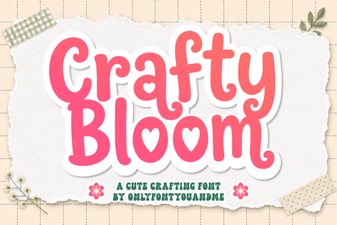 Crafty Bloom Font Design Ideas and Uses
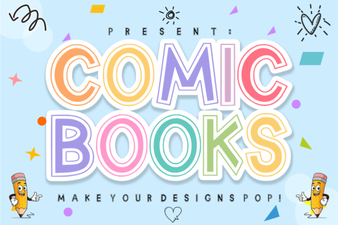 Comic Books Font Design Ideas
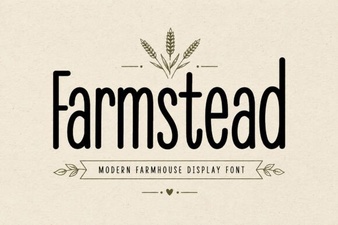 Farmstead Font Design and Creative Project Ideas
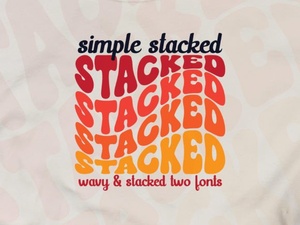 Simple Stacked Font for Creative Design Projects
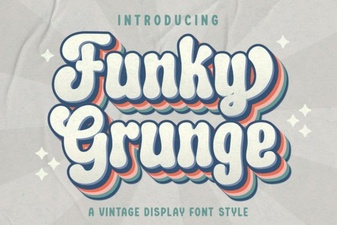 Funky Grunge Font for Bold Design Projects
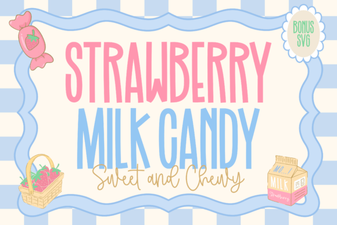 Strawberry Milk Candy Font Design Ideas